Verve AI lists specialized copilots, coding assistance, mock interviews and interview reports. Its catalog gives candidates several ways to approach a particular round or review one afterward.
A mixed round needs two kinds of evidence
Verve AI groups tools by interview context, including coding, mock interviews and specialized copilots, and describes an interview report. That range is relevant when your preparation plan spans different assessments. Consider a product analyst round with just one screen: a funnel chart. Halfway through, the interviewer moves from “What changed?” to “How did you convince the team?” One question calls for evidence in the chart. The other calls for evidence in your experience.
Read the denominator before proposing a fix
Try a sample chart with 1,000 visitors and 100 signups in week one, then 2,000 visitors and 150 signups in week two. Signups increased, but conversion fell from 10% to 7.5%. Ask QSourceAI Pro to help interpret a screenshot of the chart. A precise answer should mention both facts. The chart alone cannot tell you whether a redesign caused the decline. A sensible next question is whether traffic sources or the mix of mobile and desktop visitors changed.
Move from the chart to the person who made the decision
Now imagine the interviewer asks about an actual time you recommended holding a rollout. Put that project in your preparation notes. If your team segmented a funnel by device before acting, explain why: the overall rate could hide a mobile-specific problem. Keep the fictional chart separate from your real project. “Here I would check device mix” answers the hypothetical. “On my last release I checked device mix” is a claim about your work and deserves a real example.
Evaluate the handoff between questions
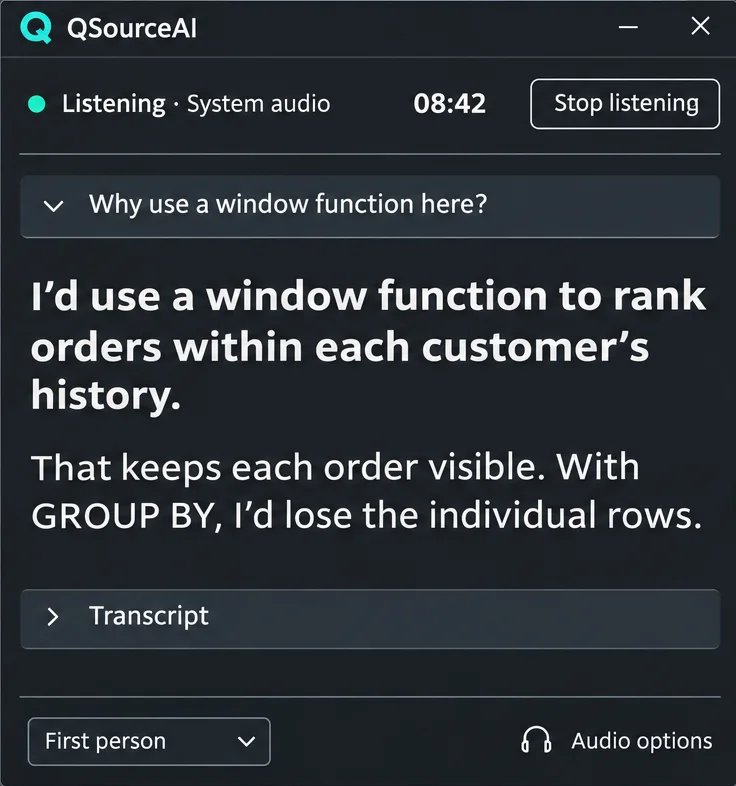
If you want a dedicated workflow for each type of assessment and an afterward report, explore Verve AI’s relevant modes. If your interview blends visual evidence with CV-based follow-ups on Windows, try QSourceAI’s screenshot and live workflows back to back. Ask a practice partner to score whether you identified the denominator, separated observation from cause, and named a defensible next action. Those criteria reveal more than counting the number of suggestions on screen.
Product references
Verve AI official product overview · QSourceAI interactive demo
A practical example
The conversion rate fell after the signup change. I split the funnel by device before recommending a rollback because the drop was concentrated on mobile.
Try this today
Draw the two-week funnel on paper and give your partner one extra fact about traffic mix. Ask them to reveal it only after you propose a next step.
Before you move on
- Both conversion rates
- A testable alternative explanation
- A separation between the example and your CV
Real questions. Answers built around you.
Start with the 15-minute text trial on Windows. Pro adds live audio and screenshot analysis for US$85/month.