Share your screen.
Keep your AI co-pilot private.
While the interviewer speaks, QSourceAI suggests an answer in a reader you can see beside the call. The overlay stays hidden from supported Windows screen captures. Check your meeting app’s share preview before the interview.
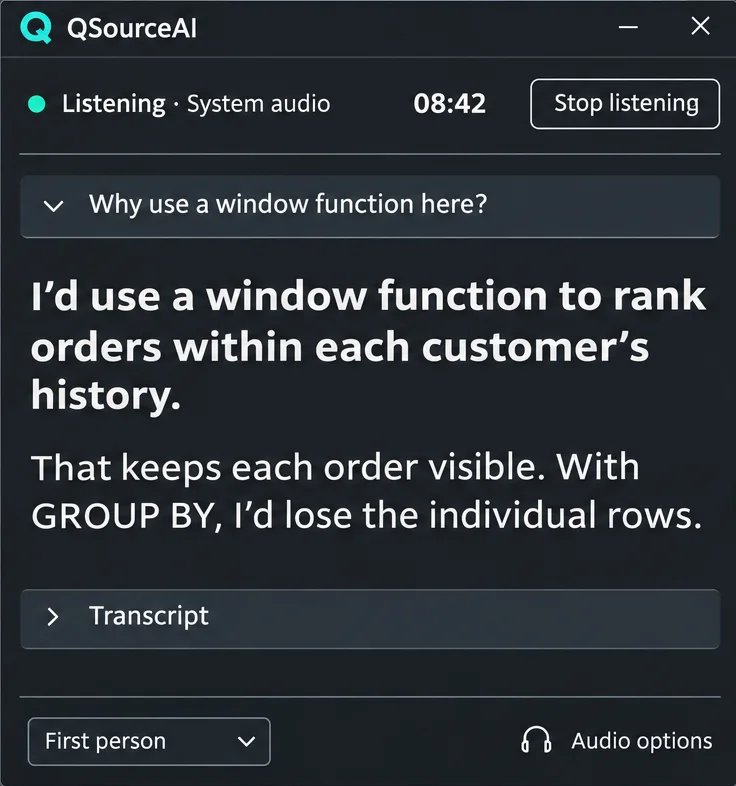
Live Interview
Hear the question. Have an answer in view.
Choose system audio to pick up the interviewer on a call, or select your microphone. QSourceAI transcribes the conversation, detects the question and generates an answer in the Windows reader. Choose brief talking points when you only need a cue, or a first-person STAR response when the interviewer asks for a story.
Main Chat & screenshots
Ask about the exact thing on your screen.
During a test or interview, type a question directly into Main Chat. If the question depends on what you see, capture a window or crop a screenshot to the relevant code, table, error or diagram. Ask a follow-up in the same chat while keeping the Live Interview reader separate.
Practice
Rehearse the answer out loud. Then take it again.
Run an AI mock interview by voice to practice speaking under pressure, or type your answers when you want to work on structure. Choose a topic or practice against your CV. Answer the question, review feedback and retry before moving on to a follow-up.
Prepare
Give the AI the background only you know.
Bring your CV and supporting material: a job description, study material, work samples or a list of accomplishments. Import supported PDF, text or Markdown files, or enter background directly. Turn that material into reference notes, practice cards and questions for the role.
Windows settings
Find a reader position that works on camera.
Open Gaze Tester in Settings to check your camera alignment. Look at the camera, then at the answer reader. Adjust the reader’s position and test again to find a comfortable place to glance during a call.
Supporting AI tools
Career & interview intelligence
Prepare for the right opportunity with CV analysis, job match analysis, interview briefings and an AI Career Advisor. Free accounts include limited reports; Pro unlocks expanded reports and higher usage limits.
Try a question you expect to hear.
Start with the 15-minute text trial. Choose Pro for live interview audio, spoken practice and screenshot assistance at US$85/month.