Understand the workflow
See the layout and interaction patterns we are designing. Example transcripts and answers are prepared in advance.
Explore a Pro Live Interview example. The sample candidate used SQL to reconcile order totals after ingestion retries. See how that project shapes a first-person answer.
Illustrative interface · Prewritten examples · No account needed
Your Windows experience depends on your version, computer settings and interview rules.
This is an interactive concept tour, not the Windows app. It uses fictional data and local browser interactions. It does not access your microphone, record audio, capture your screen, upload a CV, contact an AI service or demonstrate a released installer.
The same Microsoft Teams interview, seen from two laptops. The candidate has QSourceAI's compact Live Interview reader on their Windows desktop. The interviewer sees the call without that reader when compatible capture-exclusion settings work as intended.
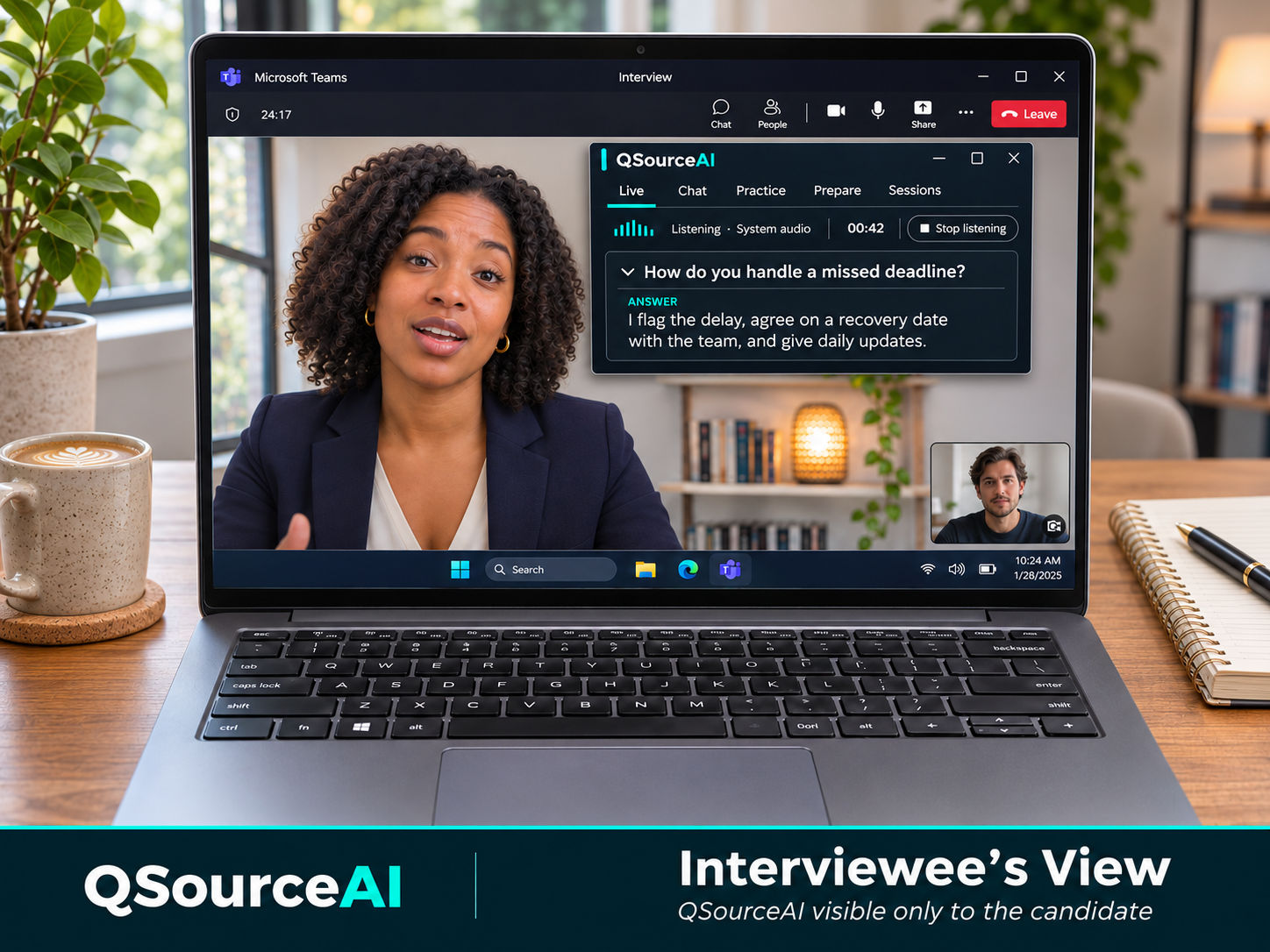
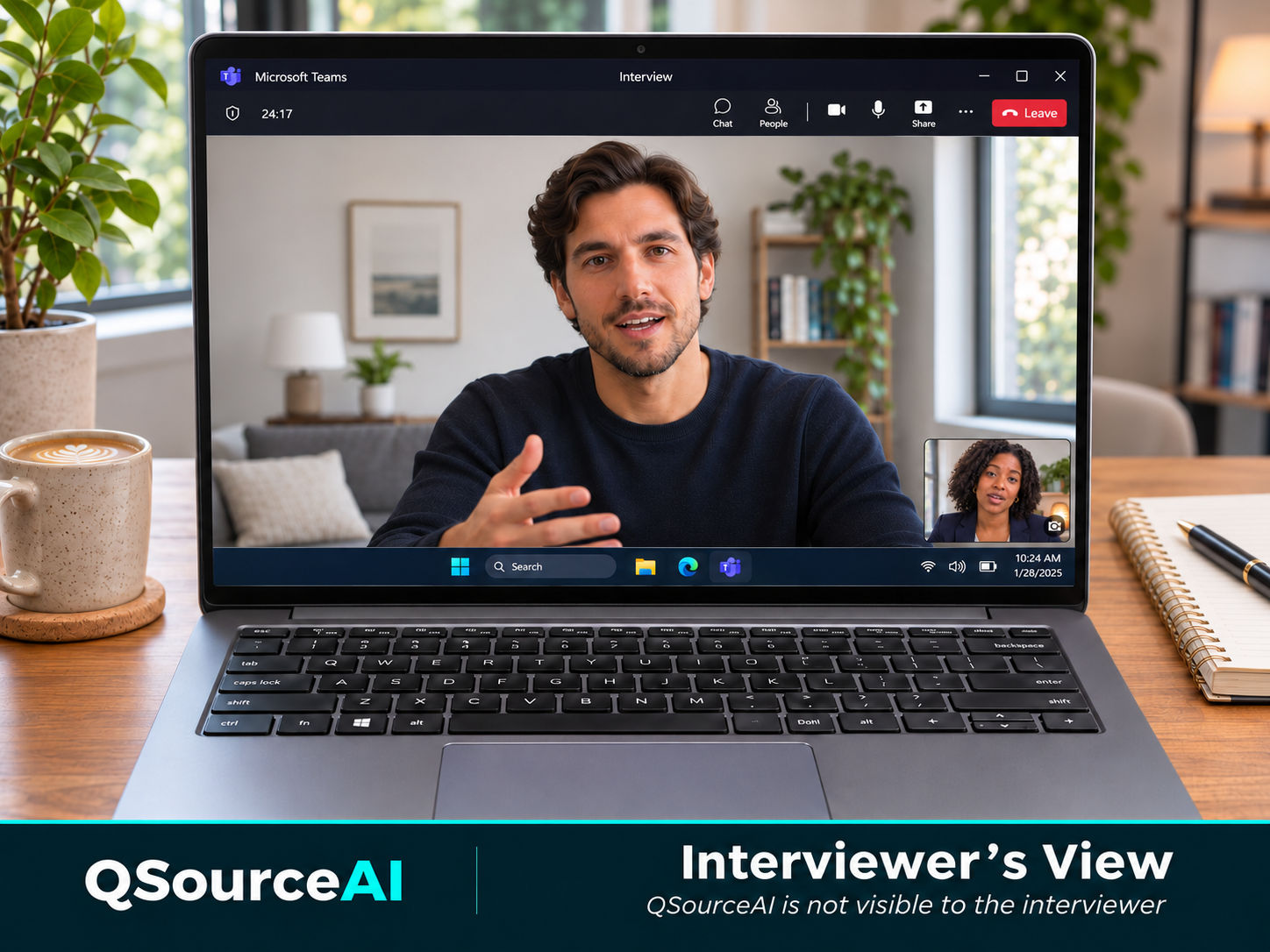
Illustrative mockups, not recordings of a real interview. Screen-sharing visibility depends on the Windows version, conferencing software, capture method and configuration. Always test screen sharing and follow interview rules.
Explore the Windows downloadChoose a feature to explore its intended workflow. Every example is simulated and safe to try.
Choose a fictional role and compare how a concise response could be structured.
Tell me about a time you improved an unreliable data pipeline.
Review a small fictional code example and reveal a sample explanation. Nothing on your screen is captured.
01 def summarize(rows):
02     result = {}
03     for row in rows:
04         key = row["region"]
05         result[key] = (
06           result.get(key, 0)
07           + row["amount"]
08         )
09 return resultReveal the explanation that a review interface might show.
It groups rows by region and totals their amounts in a dictionary.
Trade-offs to discussInput validation, missing fields, numeric types and memory use for large datasets.
See how CV details and a job description could inform preparation. These are fictitious examples—not uploaded documents.
Explain a real data-quality improvement, identify your specific contribution and connect the decision to the target role. Use only experience you can substantiate.
Try the illustrated visibility and microphone controls below. They change this browser mockup only.
Shortcuts shown here are reference examples; this browser page does not register global hotkeys.
Important: Screen-sharing and monitoring behavior varies across platforms. Capture exclusion is not a guarantee of invisibility. Follow the interview organizer's rules for AI assistance.
Preparation tools help structure your own stories, test technical explanations and check interview logistics before the call.
The public preparation hub has a readiness assessment, role guides and printable worksheets.
See the layout and interaction patterns we are designing. Example transcripts and answers are prepared in advance.
No personal uploads, microphone access or screen capture are requested on this tour page.
The Windows installer is pending release validation. Availability, reliability and platform support must be confirmed before using the Windows app.
Prepare for your next interview or download QSourceAI for Windows.