Sensei AI demonstrates live interview assistance with a behavioral question about explaining a technical problem. Its example organizes an answer into STAR, a useful structure for comparing how different tools present a story.
What STAR preserves and what it can bury
Sensei AI illustrates live assistance with a STAR response to a question about communicating a technical issue. The format is helpful because it puts the audience, responsibility, action and outcome in order. It can also tempt a speaker to spend most of the answer describing the situation. In a communication interview, the part worth hearing is usually the explanation you chose. A good comparison therefore tests where the answer puts that sentence and whether you can find it at a glance.
Write the explanation the stakeholder actually heard
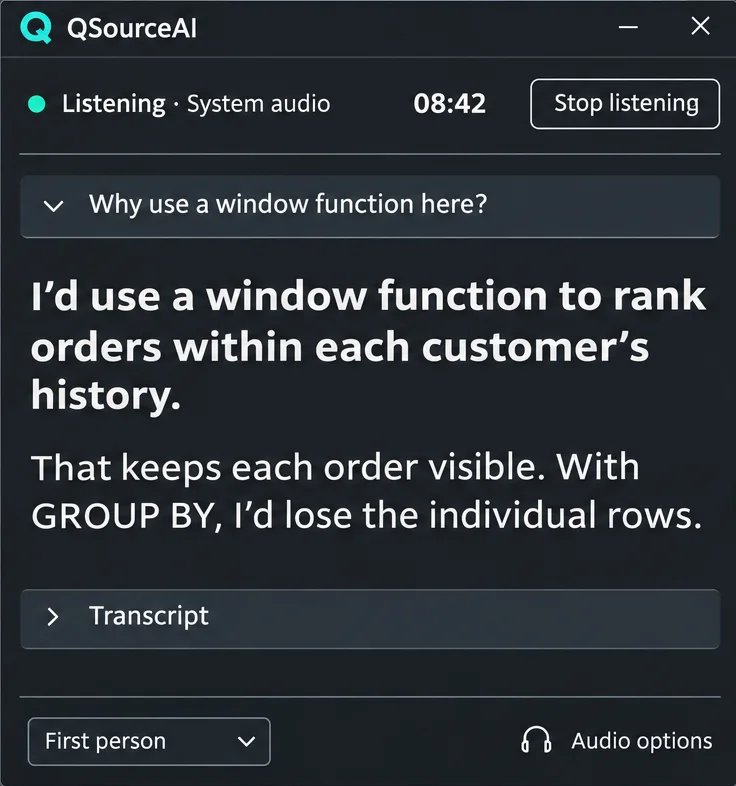
Suppose an operations lead sees that yesterday’s report shows more orders than the warehouse shipped. Your technical notes say that a retry inserted duplicate IDs. Instead of opening with retry semantics, try: “I showed her two rows for the same order and asked whether the warehouse should ship one box or two.” Now the audience has a decision it understands. In QSourceAI, give Prepare that detail along with what happened afterward. It gives the first-person suggestion a concrete action to draw on.
Rehearse the interruption
Ask for a STAR response, deliver the situation in one sentence, and have your partner interrupt: “What did you actually say to her?” Switch immediately to the two-row example. On a second pass, ask for concise talking points and see whether the example comes earlier. If your partner could repeat the analogy accurately the next day, you communicated the concept. If they only remember that you held a meeting, bring the concrete explanation forward.
How to choose between the experiences
Explore Sensei’s live behavioral example if you want to see how a structured answer unfolds. Use QSourceAI’s answer styles and your project notes to test how the same story sounds in your own voice. Read both attempts aloud. Keep the version that fits your natural sentence length, makes your contribution clear and leaves enough room for the interviewer to ask about the outcome.
Product references
Sensei AI official product overview · QSourceAI interactive demo
A practical example
I showed the operations lead two orders with the same ID and asked which one the team would ship. That made the duplicate-count problem concrete before we discussed the database fix.
Try this today
Record a 30-second and a 90-second version of the same explanation. Ask a listener to repeat the analogy in their own words.
Before you move on
- One sentence of context
- The words the stakeholder heard
- An outcome the listener can explain
Real questions. Answers built around you.
Start with the 15-minute text trial on Windows. Pro adds live audio and screenshot analysis for US$85/month.