LockedIn AI lists desktop and mobile apps, phone interview assistance, and Duo, which it describes as a way to bring a trusted person onto a call. Those options are worth exploring when your interview setup changes between rounds.
Map the panel to your actual equipment
LockedIn AI describes desktop and mobile experiences as well as Duo for bringing a trusted person into a call. Those are meaningful options if you regularly move between a phone screen and a desktop interview. Start your comparison with the invitation in front of you. Where will the interviewer’s voice play? Will you be showing a slide? Can you read the prompt while keeping the meeting window visible? The best setup is one you can operate without explaining a pause to three people.
Run a two-minute audio rehearsal
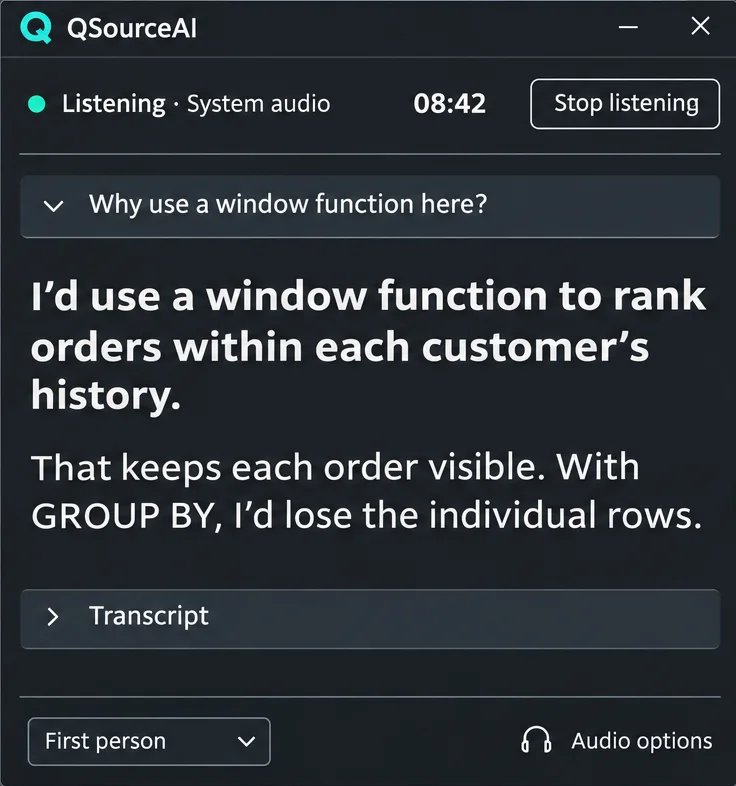
With QSourceAI on Windows, plug in the headset you intend to use before opening the meeting app. Play a sample spoken question through the call’s speaker output and watch the system-audio meter. Then speak into the microphone and check that input separately. These checks diagnose different problems. A moving microphone meter establishes that your voice is reaching the device. The system-audio check establishes whether the remote panelist’s question is reaching the reader. Repeating the test after reconnecting a headset is worthwhile.
One project, three panelists
Take a staffing dashboard as your sample project. The manager asks, “Which decision changed?” Lead with the shift that was rescheduled. The engineer asks, “How did you validate it?” Describe how you reconciled shift counts against payroll. The operations lead asks, “What happened on a holiday?” Explain the exception rule you used or say what you would check. Load that single project note and practice all three questions out of order. The strongest answer changes emphasis while keeping the underlying facts consistent.
Decide how much coordination you want
If you are evaluating a mobile setup or an invited helper, LockedIn AI’s offerings give you specific workflows to test with a practice partner. For a Windows panel where you want to control your own prompts and audio, try QSourceAI with your usual headset and monitor. Score the rehearsal on two things: whether the correct question reached the app, and whether you could return your attention to the speaker before the next panelist joined in.
Product references
LockedIn AI official product overview · QSourceAI interactive demo
A practical example
For the manager, I’d explain how the dashboard changed our staffing decision. For the engineer, I’d walk through the reconciliation query I used before releasing it.
Try this today
Rehearse with your meeting window, reader and headset in their usual positions. Switch from a business question to a technical one without moving windows.
Before you move on
- Remote speech reaches system audio
- Each panelist gets a direct answer
- Your project facts stay consistent
Real questions. Answers built around you.
Start with the 15-minute text trial on Windows. Pro adds live audio and screenshot analysis for US$85/month.